v1.0.188
Date released: October 15, 2025
New features and enhancements
The following new features are included in this release:
AI Agents
Knowledge Graph agent
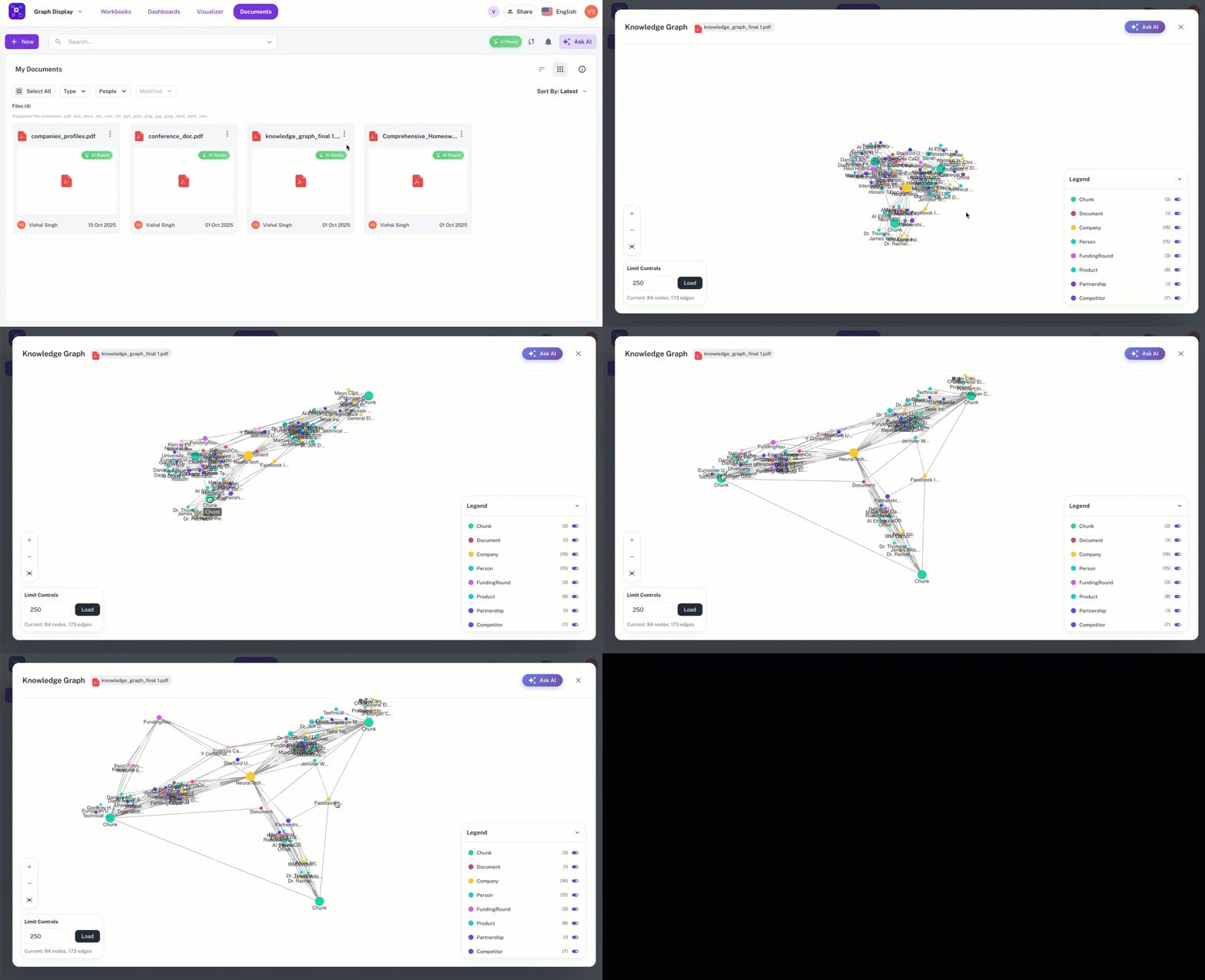
Introduced the Knowledge Graph agent, which allows users to chat with documents such as PDFs and Word files. The Knowledge Graph (KG) agent works by extracting ontology—the relationships and entities (like Person, Organization, Document)—from the uploaded document.
The KG agent works as follows:
-
Extraction: It first analyzes the document to identify organizations, people, titles, emails, and their descriptions.
-
Visualization: This information is displayed in a graph format where nodes represent entities (e.g., a person, an organization, or the document itself) and directed arrows (edges) represent the relationships (e.g., "Person works for Organization").1
-
Interaction/Querying: End-users can interact with the system by asking natural language questions about the document's content.2
The Knowledge Graph agent can be accessed within the Document section of Workspace.
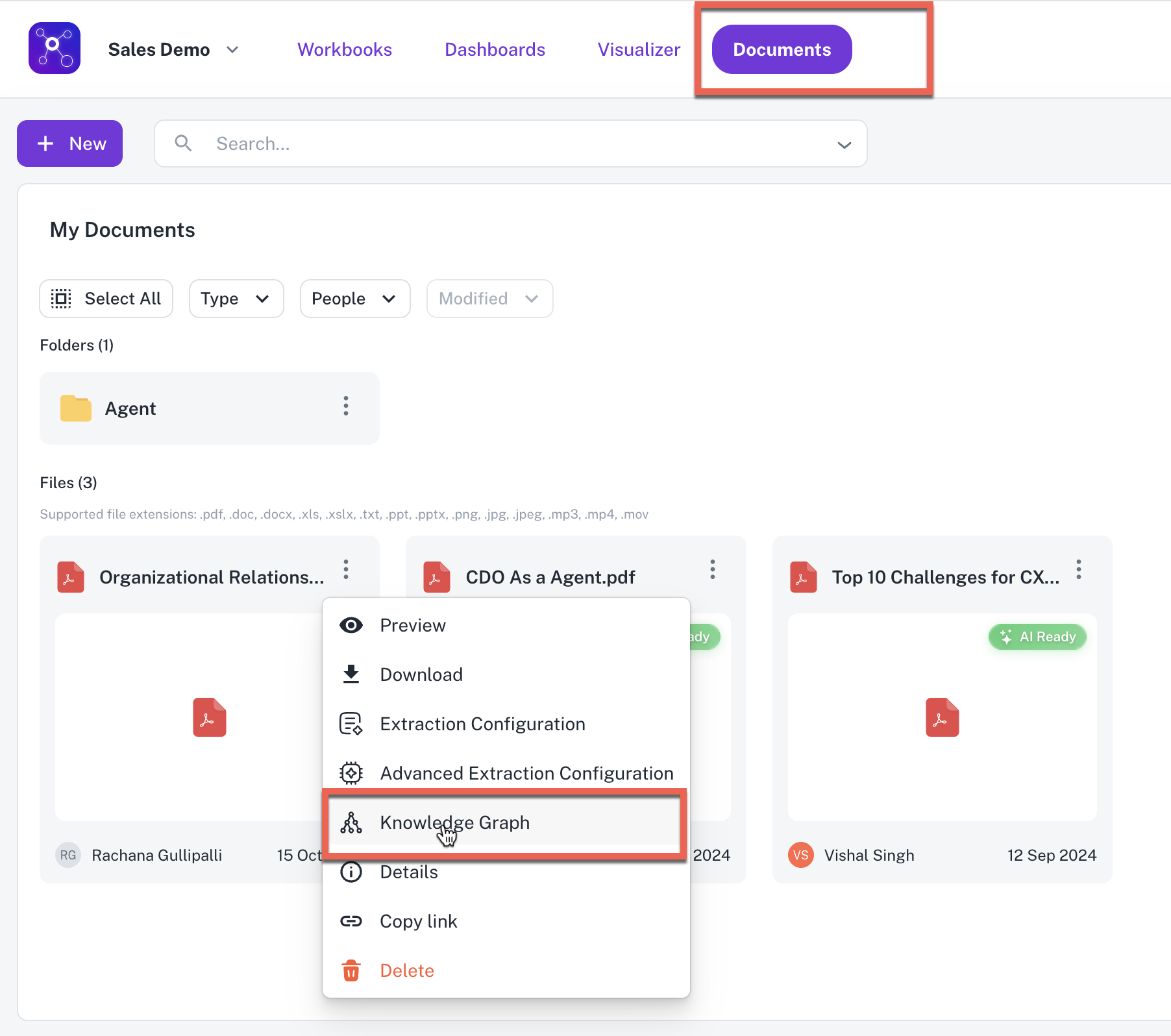
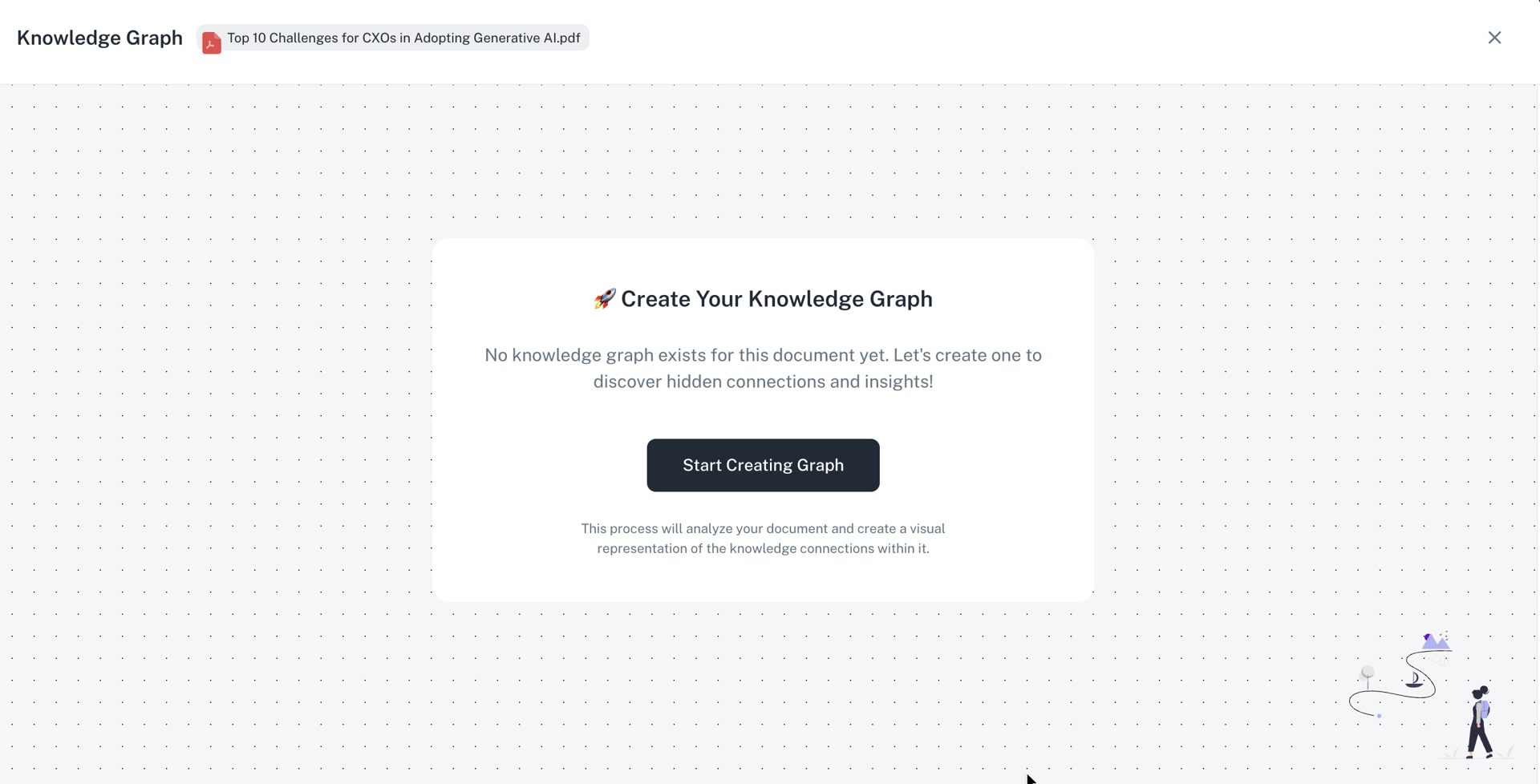
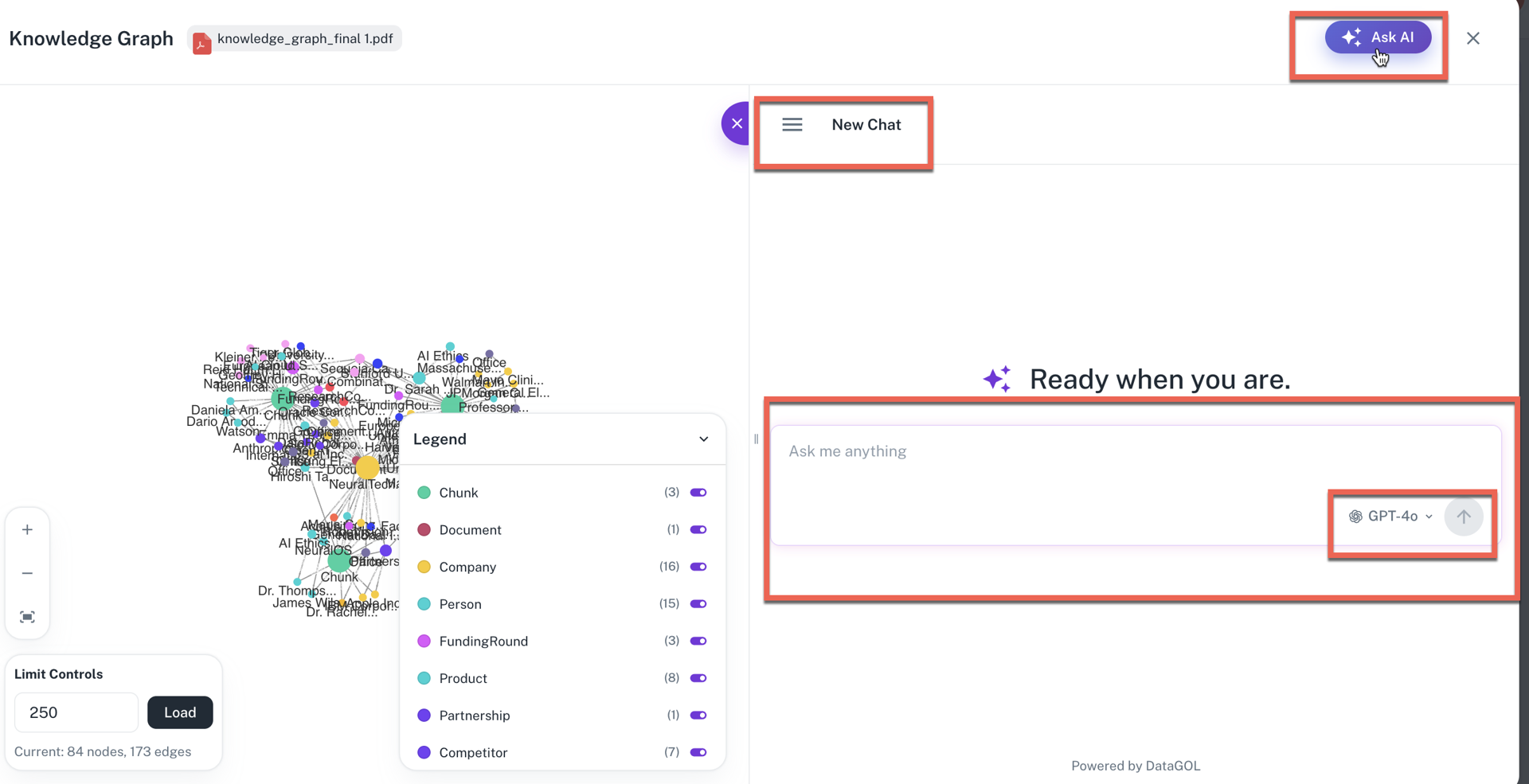
- Creation: From the Workspace > Documents section, a user must click Start Creating Graph to build the knowledge graph for a specific document. The creation process involves ontology and graph creation and takes a few minutes, depending on the document size.
-
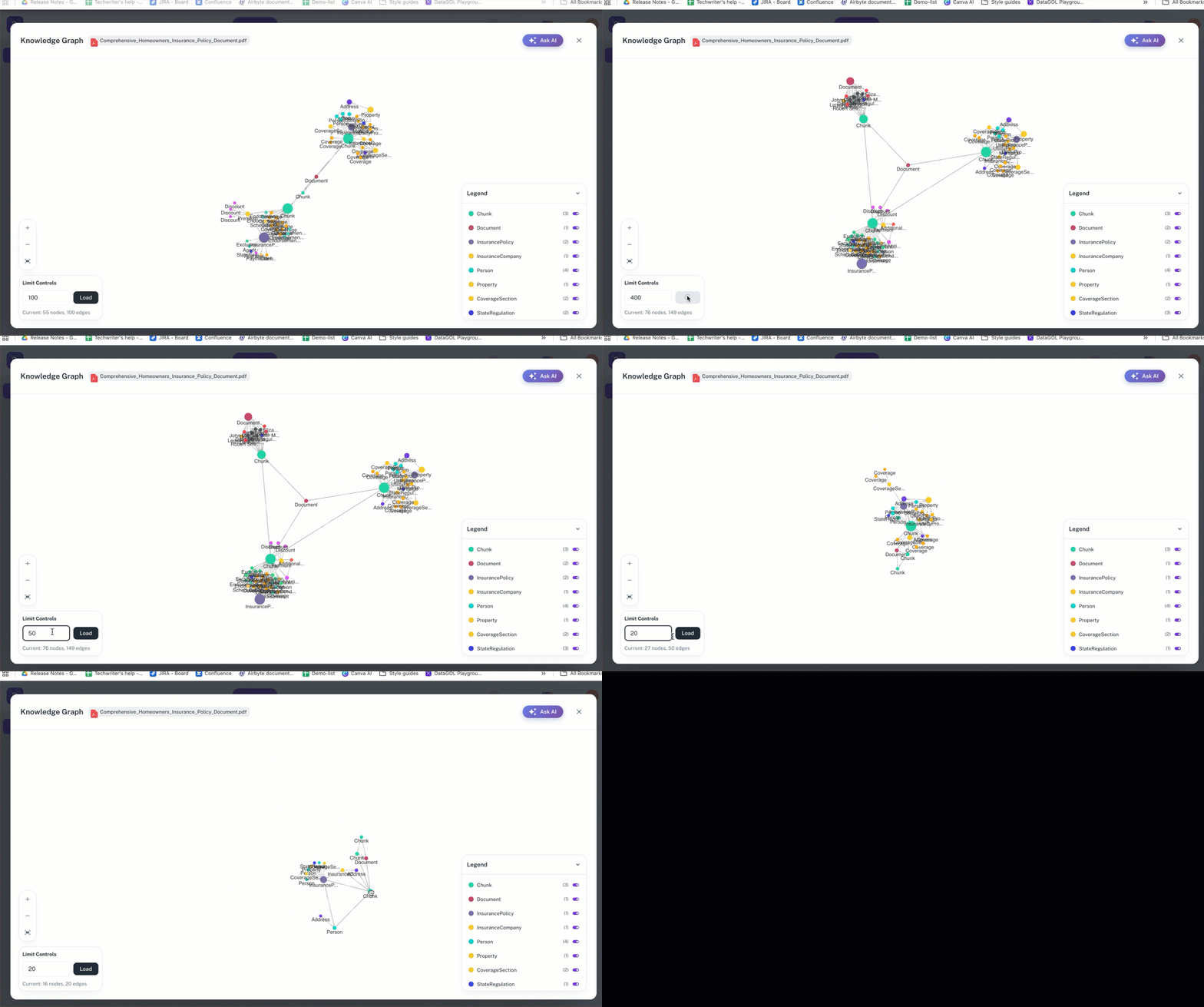
Viewing the Graph: Users can view the graph, which displays nodes (entities) and edges (relationships). They can adjust the number of visible nodes/edges using upper and lower limits (e.g., setting the edge limit to 10 or 1000).
-
Asking AI: Once the graph is created, an "Ask AI" button appears, allowing users to chat with the document.
-
Chat features: In the chat interface, users can:
-
View chat history.
-
Start a new chat.
-
Change the underlying LLM model (e.g., to GPT-4 or Claude).
-
Edit or delete their query.
-
-
Limitations: Currently, end-users cannot view the underlying JSON format of the relationships, nor can they print or download the graph image, though downloading in a JSON or image format may be added later.
Was this helpful?