v1.0.190
Date released: October 17, 2025
New features and enhancements
The following new features are included in this release:
AI Agent
-
Knowledge Graph (KG) agent self-correction mechanism: Implemented an intelligent self-correction mechanism for the KG Agent. If a query execution fails (e.g., due to an error in the generated query logic or structure), the agent now automatically attempts to correct the query and re-execute it. This enhancement significantly improves the reliability and success rate of complex knowledge graph interactions, thereby reducing the need for users to rephrase or retry failed queries manually.
-
Knowledge Graph query transformation layer: Introduced a new query transformation layer within the Planning Node of the Knowledge Graph (KG) agent.
This enhancement allows the agent to intelligently refine, restructure, and optimize the initial query plan before execution. By incorporating a transformation step, the KG Agent can better adapt to complex and ambiguous user requests, resulting in more accurate and efficient generation of the final traversal query against the knowledge graph. This leads to a higher success rate and faster response times, especially for sophisticated multi-step reasoning tasks.
-
Dedicated service for high-volume Python agent data processing: To ensure seamless performance and scalability under high load, a dedicated service/repository is created for the Python Agent to handle heavy data processing tasks.
Previously, loading huge datasets (over 1 million records) through the Python Agent would consume significant resources, causing performance degradation and blocking other critical services running in parallel.
By separating the Python Agent's execution environment, we ensure that resource-intensive data operations are now handled independently.
Benefits-
Improved scalability and concurrency: Heavy data processing tasks no longer compete for resources with core services, allowing the system to handle a higher volume of parallel operations.
-
Enhanced system stability: Load on core services is drastically reduced, preventing bottlenecks and maintaining consistent responsiveness across the platform.
-
Faster processing: Dedicated resources allow for more efficient and faster loading of large datasets through the Python Agent.
-
Backend
-
Automated cleanup of Iceberg snapshots for full data refresh syncs: Once a full refresh job completes and a new, current snapshot is created, the system will automatically execute a cleanup operation. This operation removes:
-
All previous snapshot metadata files (which clutter the metadata history).
-
All referenced data files that were part of the older, expired snapshots (reclaiming disk space).
This guarantees that only the snapshot created by the current, successful FULL_REFRESH job is preserved, effectively mimicking a clean slate while leveraging Iceberg's transactional guarantees.-
Optimized storage: Automatically reclaims storage space consumed by outdated data files and metadata.
-
Simplified data history: Keeps the table's history clean and focused on relevant, recent snapshots.
-
Reduced manual intervention: Eliminates the need for manual cleanup commands after full refresh operations.
-
-
-
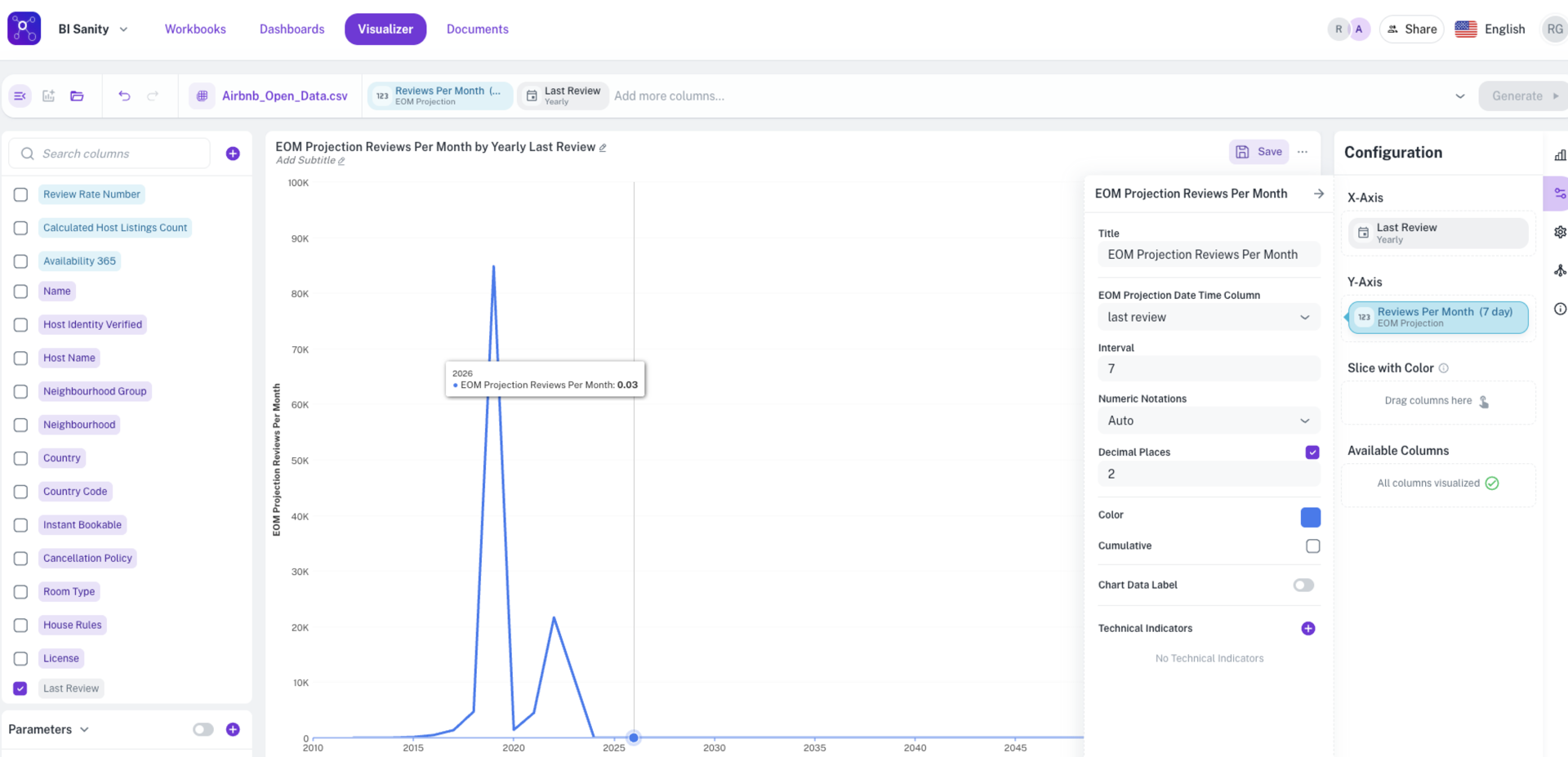
Support for end-of-month (EOM) projections in BI backend: Enhanced the BI Backend to support the calculation of End-of-Month (EOM) Projections.
This new capability allows for the generation of forward-looking metrics that project performance based on historical trends or defined models, providing more accurate and actionable insights into how current results will translate to month-end totals. This is a critical feature for financial reporting, sales forecasting, and budget monitoring.
BI
-
Automatic time bucket inferencing for date-time columns across all widgets: Introduced Automatic time bucket inferencing for date-time columns across all widgets. This enhancement intelligently analyzes the applied filters and the volume of data being displayed to automatically determine the most appropriate time granularity (e.g., year, quarter, month, week, or day) for rendering charts and tables.
The platform will now dynamically adjust the time grouping on your date-time axes based on the current context:
-
Wider time ranges (e.g., filtered to the last 5 years) will be automatically grouped by Year or Quarter.
-
Narrower time ranges (e.g., filtered to the last 30 days) will be automatically grouped by Day.
-
This provides the following benefits
-
Enhanced user experience: Users no longer need to manually adjust the time grouping when changing filters, leading to faster data exploration.
-
Optimal visualization: Charts and tables are rendered with the ideal level of detail, preventing overly dense or overly sparse visualizations.
-
Consistent reporting: Ensures a standardized and context-aware approach to displaying time-series data across all reporting widgets.
-
-
-
Columns configuration notations definition: Restructured the Columns Configuration panel to enhance user control over number formatting. The option to define the notation (e.g., thousands, millions) for values displayed on a chart's tooltip is now independent of the Show/Hide Chart Labels setting. This means:
-
You can now set the desired notation on a measure without needing to display the main chart labels.
-
The tooltip will consistently adhere and display the specific notation defined in the configuration, ensuring data presentation is accurate and consistent whether or not the main chart labels are visible.
-
-
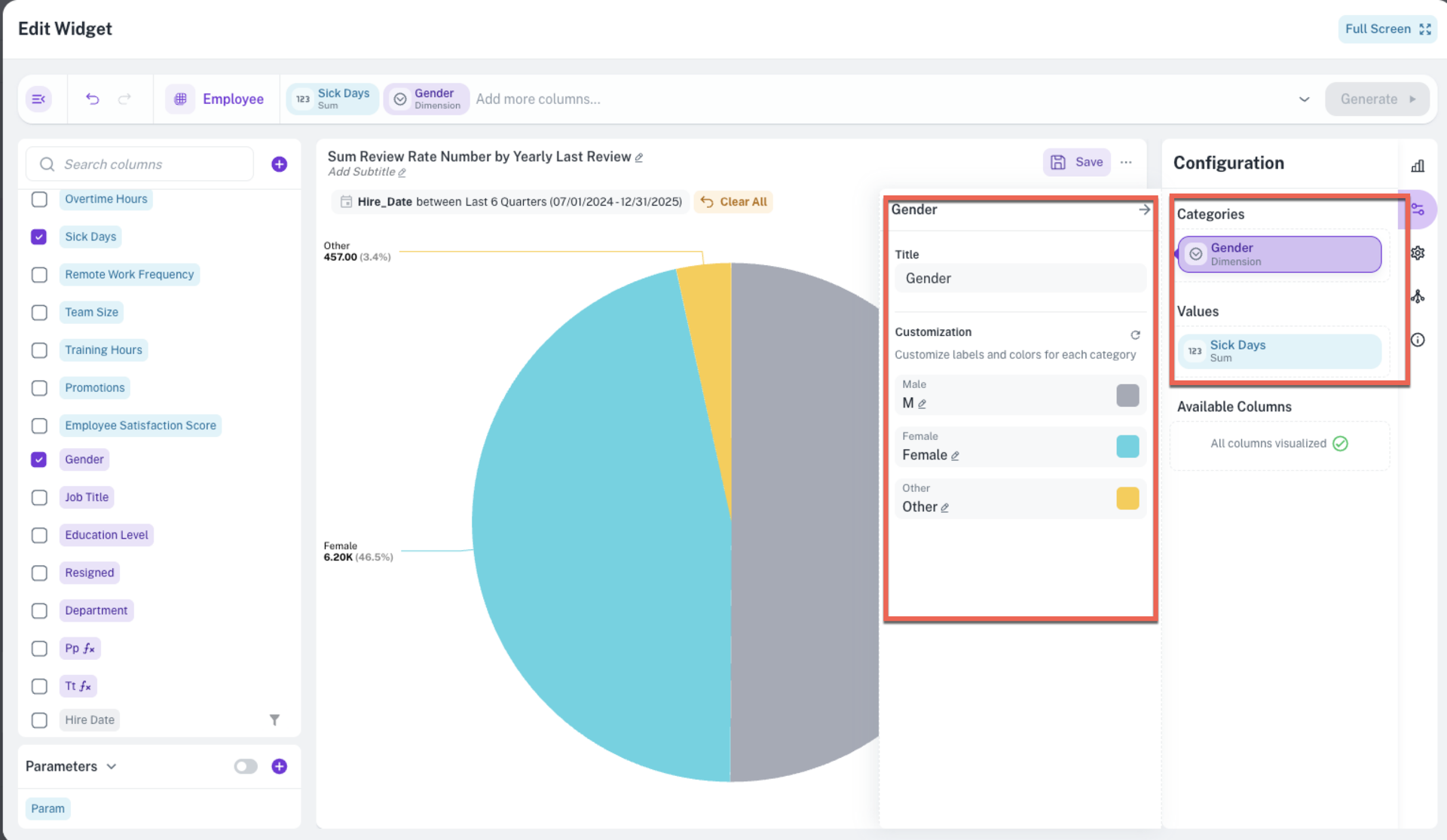
Enhanced category metadata for Pie, Donut, and Funnel charts: Improved the data structure for Pie, Donut, and Funnel charts to include enhanced category metadata. The chart's data payload will now provide the labels and corresponding colors used for each slice or segment, making it easier to integrate and style these charts in custom applications.
Documents
Upgraded the document extraction process to allow users to define Primary Keys on extracted columns. This introduces powerful upsert (Update or Insert) logic, ensuring data integrity and eliminating duplicates when processing recurring documents or updated records.
When configuring a document extraction, you can now designate one or more mapped columns (e.g., email_id, invoice_number) as the primary key. During subsequent extractions:
-
Update existing records: If an incoming record has a matching value in the defined primary column(s) (a composite key is supported), the system will automatically update the existing record with the new data instead of creating a duplicate.
-
Insert new records: If no match is found for the primary key(s), a new record will be inserted as usual.
Bug Fixes
The following issues are resolved in this release:
AI Agent
Knowledge Graph agent fix: Fixed an issue in the KG Agent that prevented the successful resolution of complex, multi-hop questions requiring traversal across multiple data relationships.
Was this helpful?