v1.0.290
Date released: June 18, 2026
Enhancements
AI
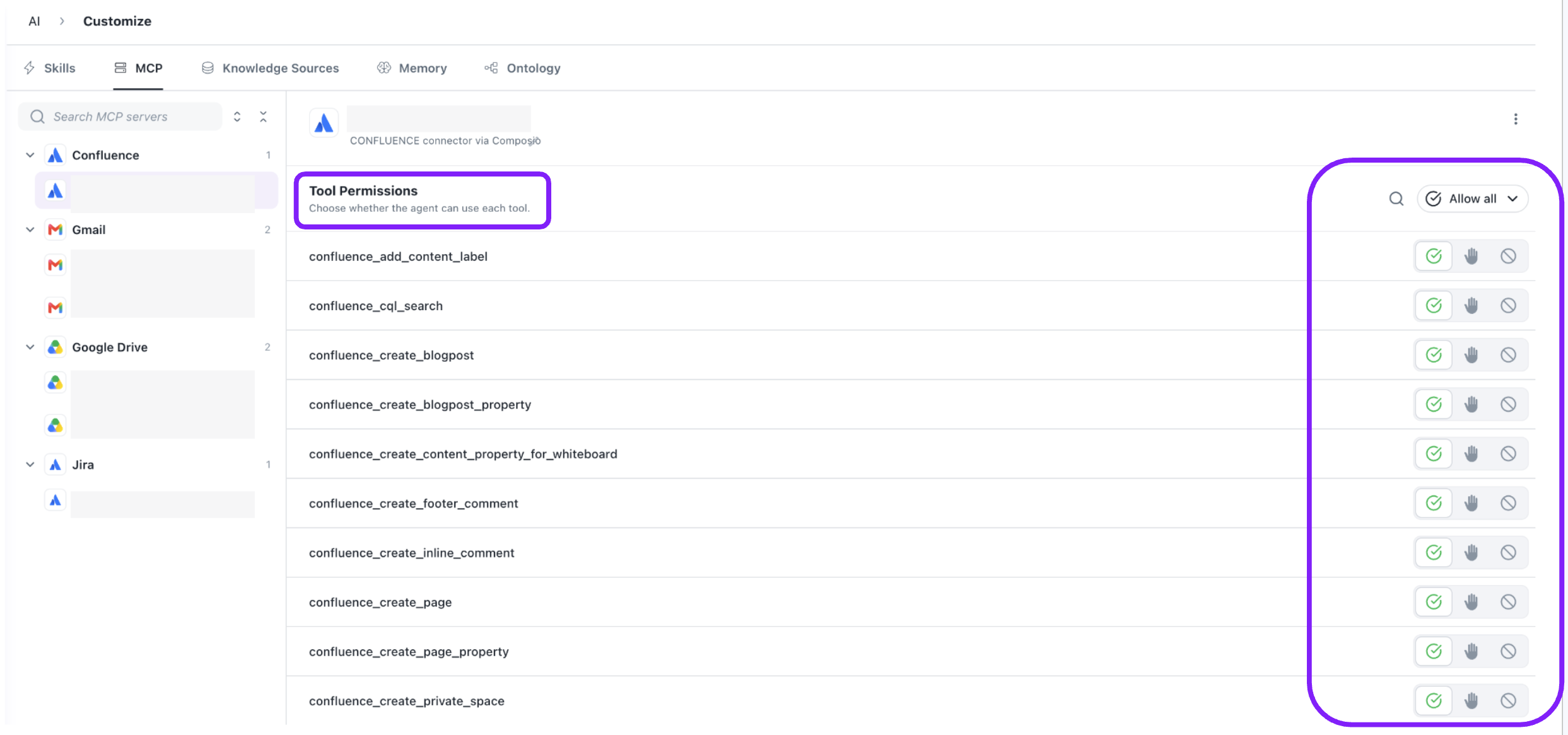
- Granular MCP Tool Permissions for Custom Agents Admins can now control exactly which tools a Custom Agent is allowed to use from each connected MCP connector. Individual tools — such as sending emails, creating Jira issues, or uploading files — can be toggled on or off directly from the agent configuration UI. Changes take effect immediately on the next user message with no server restart required. This makes it easy to restrict agents to read-only operations, block destructive actions, or enforce compliance boundaries across any combination of connected services.
- Together AI Models Now Available: Together AI models can now be selected in company configuration and assigned to Custom Agents, expanding the range of LLM options available across your organization.

Bug Fixes
- Resolved an issue where page-level filters were taking precedence over drill-down selections, causing drill-down to return incorrect results. Drill-down filters now apply correctly regardless of existing page filters.
- Fixed an issue where drilling down on high-cardinality dimensions such as Name, Email ID, or User ID returned empty results even when matching records existed. Drill-down now works correctly across all field types.
- Fixed a bug where renaming a chart label caused drill-down queries to fail. Drill-down now correctly uses the underlying data value for filtering while still displaying the updated label in the UI.
- Resolved two bugs in widget Explore Mode — a duplicate value field that appeared when entering filter values, and Equals / Includes / Contains filters not working as expected. All filter types in Explore Mode now behave correctly.
- Fixed a formatting issue where downloading a Pivot Table as CSV produced misaligned columns with data split across multiple cells. Exported CSV files now accurately reflect the pivot table structure.
- Resolved an issue where a widget's configured Help Message was erased whenever the widget was updated. Help Messages now persist through edits unless explicitly removed.
- Fixed an issue where the copy icon on the Embed Dashboard Configuration page did not copy the code snippet to the clipboard. Clicking the copy icon now works as expected.
Was this helpful?