v1.0.206
Date released: December 02, 2025
New features and enhancements
AI Agents
-
RAG agent context selection
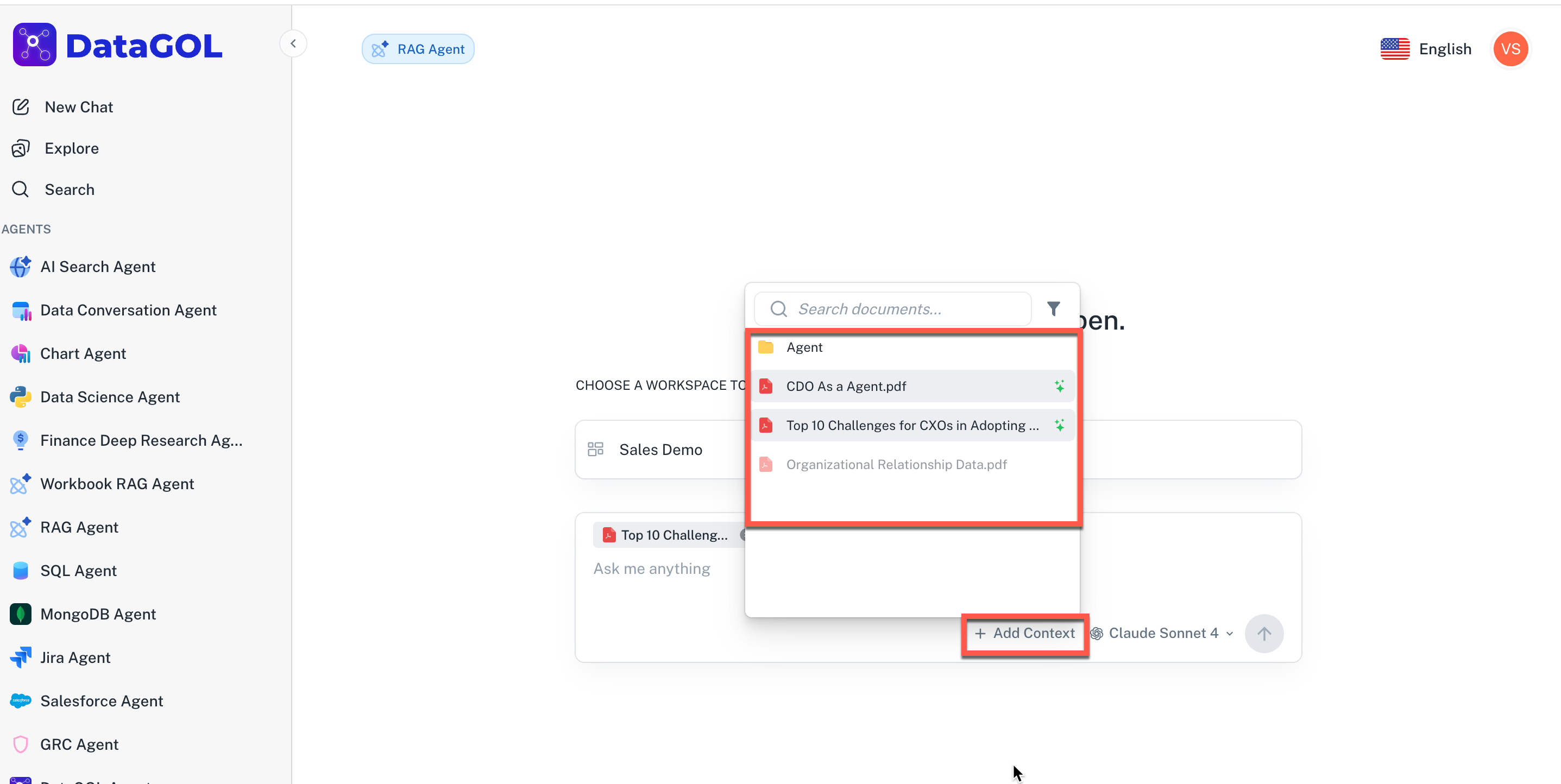
Introduced a new Add Context option within the RAG Agent UI to give you finer control over the information used for generating responses.
Now, you can easily select specific documents and folders from your current workspace to act as additional retrieval context for your RAG queries. This enhancement ensures you can quickly focus the RAG agent on the precise information needed for your complex queries.
-
Clicking Add Context displays a hierarchical list of all documents and folders within the currently selected workspace.
-
Only AI-ready documents and Folders are available for selection. Documents that are not yet AI-ready or are unsupported file types will appear muted and cannot be selected. A tooltip will explain why the selection is disabled.
-
You can select one or more valid documents or folders at once.
-
-
RAG Agent planning
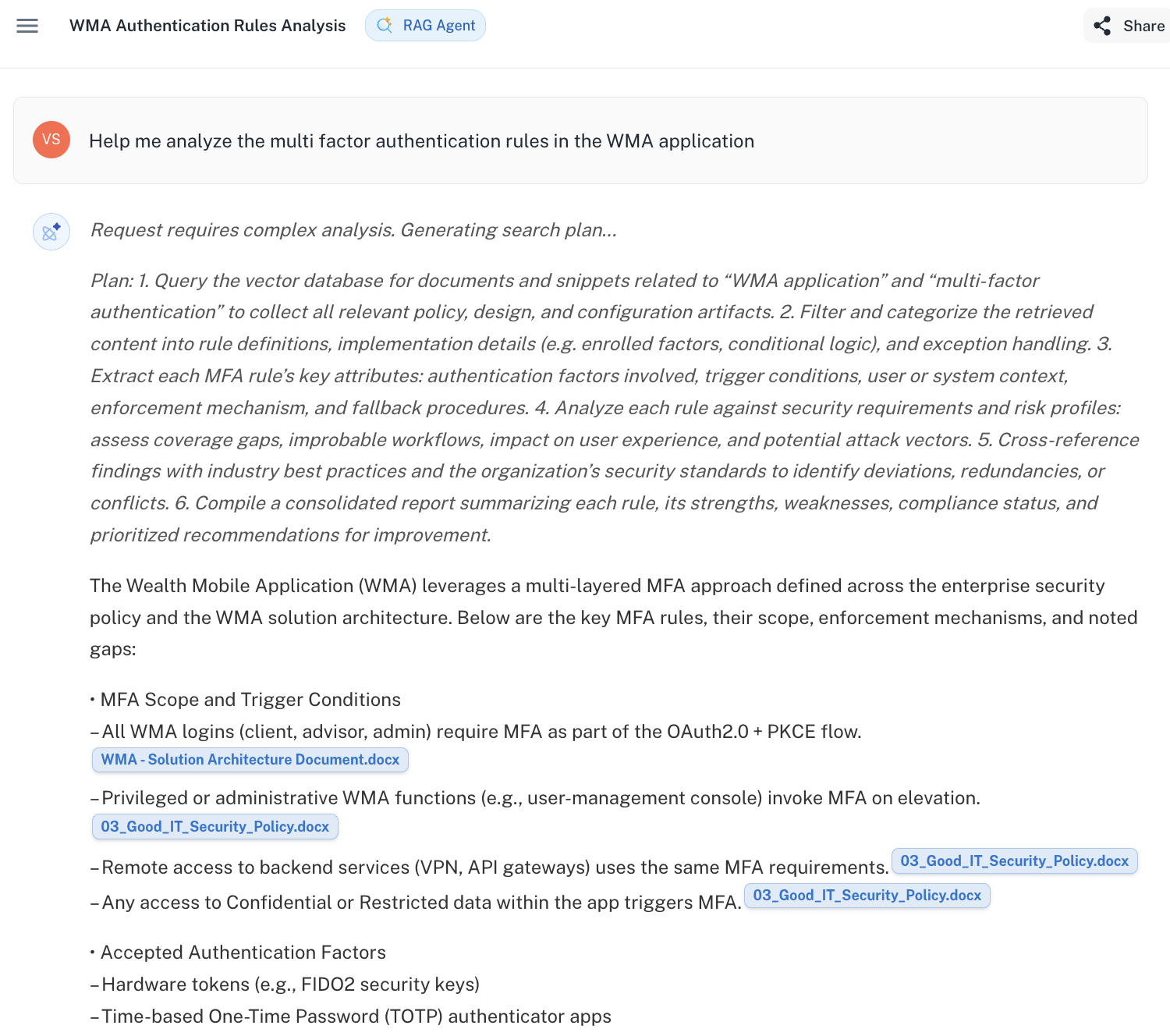
When the query is complicated and cannot be resolved with a single search, the RAG agent will plan and then execute that order of plans. For transparency, this plan is visible to the user, allowing you to see the logical steps the agent takes to generate the final answer.
Was this helpful?