v1.0.229
Date released: February 12, 2026
New features and enhancements
AI agents
SQL agent
Previously, saving a workbook would end the active session, requiring users to manually navigate back to start a pipeline. Users can now immediately Create a new pipeline or Add to an existing pipeline directly after saving a workbook, without leaving the page.
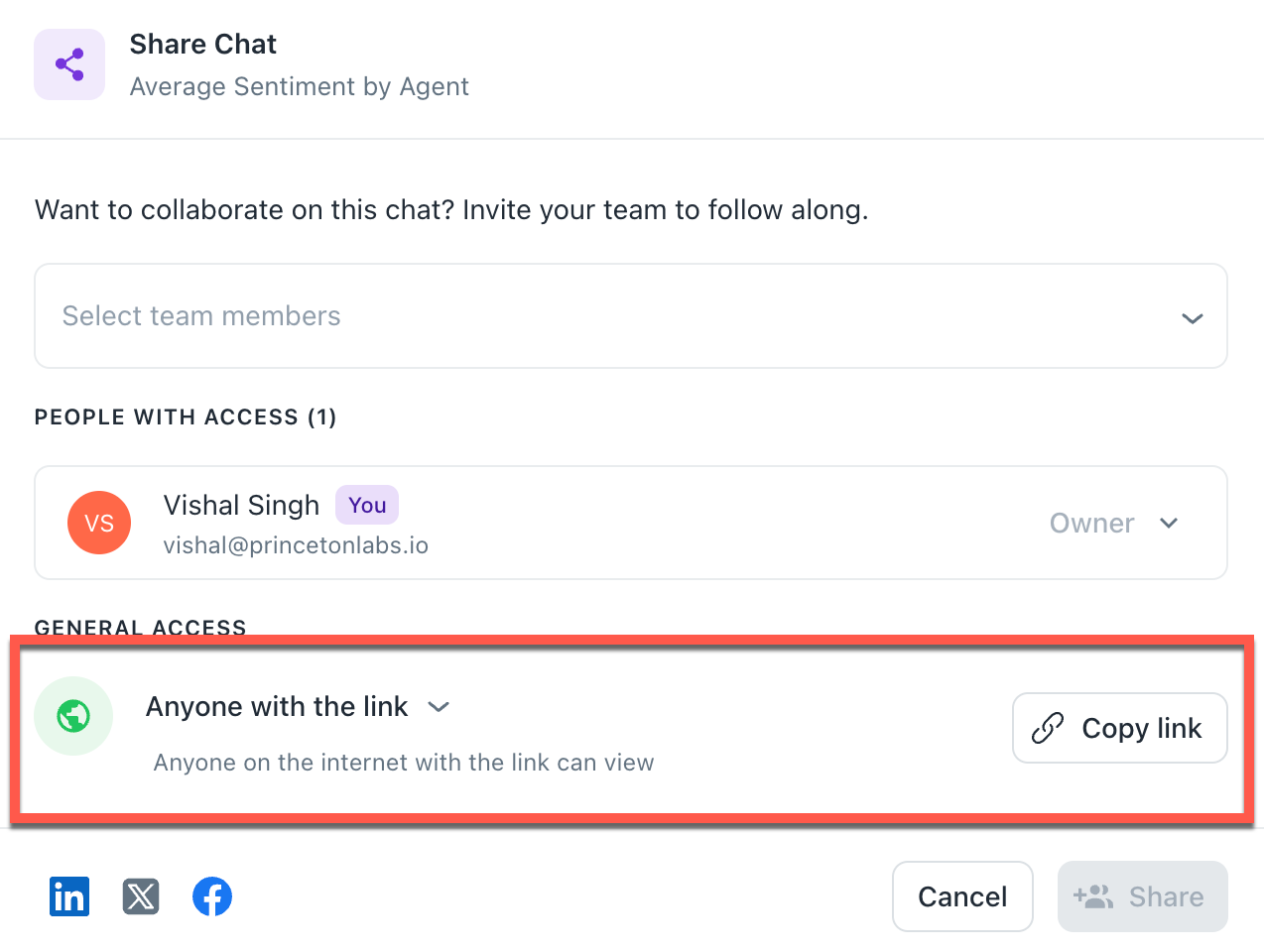
Sharing agent thread
Redesigned the sharing UI to mirror Google Drive’s General Access model, enabling one-click public access via an Anyone with the link drop-down.
Improved AI generation interface
Relocated AI Generate function from the bottom bar into a dedicated two-tab layout (Settings and AI Generate) to reduce UI clutter and increase feature discoverability.
Onboarding
Implemented a maximum file size limit for onboarding uploads to ensure faster processing, smoother previews, and a more responsive setup experience. If file size exceeds the maximum limit of 15 MB. Please upload a smaller file. Users now receive immediate, helpful feedback if a file exceeds the limit, preventing failed uploads across all supported formats (Excel, CSV, PDF).
Orchestration
The Edit button is disabled while an orchestration is Running status. This eliminates the risk of mid-run errors or data mismatches and workflows run exactly as planned, every time.
Bug fixes
BI
-
Issue: Users encountered errors when attempting to edit BI queries connected to Redshift. Specifically, the connection type would default to a blank value, triggering a "Spark error" and preventing the query from running.
-
Fix: We resolved a synchronization issue to ensure that the JDBC provider type remains correctly mapped when a workbook is opened for editing.
-
Impact: This restores the ability to modify and test Redshift-based queries without manual reconfiguration or system errors, ensuring your data reporting remains agile and accurate.
Column extraction
-
Issue: Fixed an issue where Extraction Flows would remain stuck in a Running status indefinitely if they encountered a duplicate column error.
-
Fix: The system now correctly detects duplicate column failures and updates the flow status to Failed.
-
Impact: This resolves an issue where the Run button remained disabled, preventing users from initiating subsequent extractions.
Platform
-
Issue: When a new user was invited but had not yet completed their account setup, their name appeared as undefined undefined across various pages in the platform.
-
Fix: Updated how the system handles pending accounts. The interface will now correctly display the user’s email address or a placeholder name until they complete their profile registration.
-
Impact: This ensures that the team dashboards and user lists remain clean, professional, and easy to read, even while waiting for new members to join.
Was this helpful?