Workbook API reference
Overview
This document describes how to use the REST API interface to retrieve and post data into a DataGOL Workbook.
1. Create a service account
A service account is required to obtain a token for authentication when making API calls.
Steps:
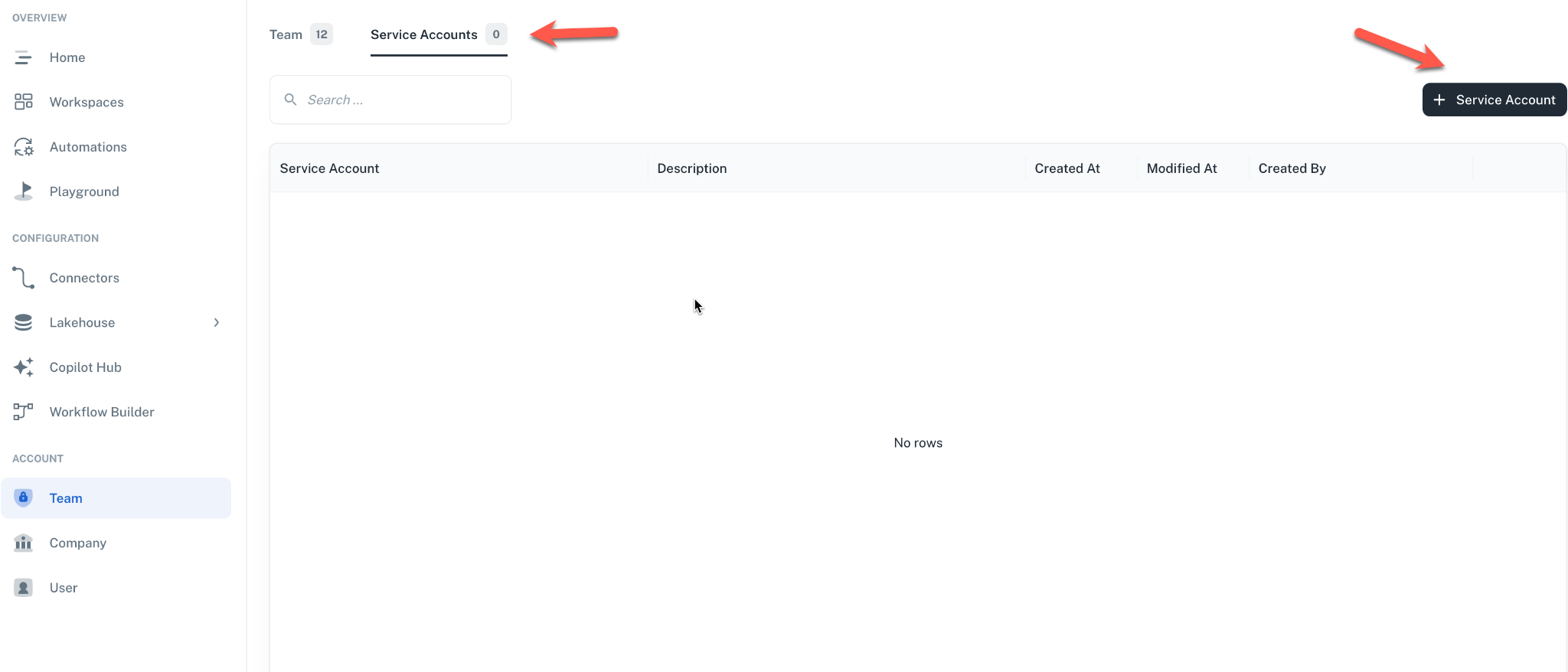
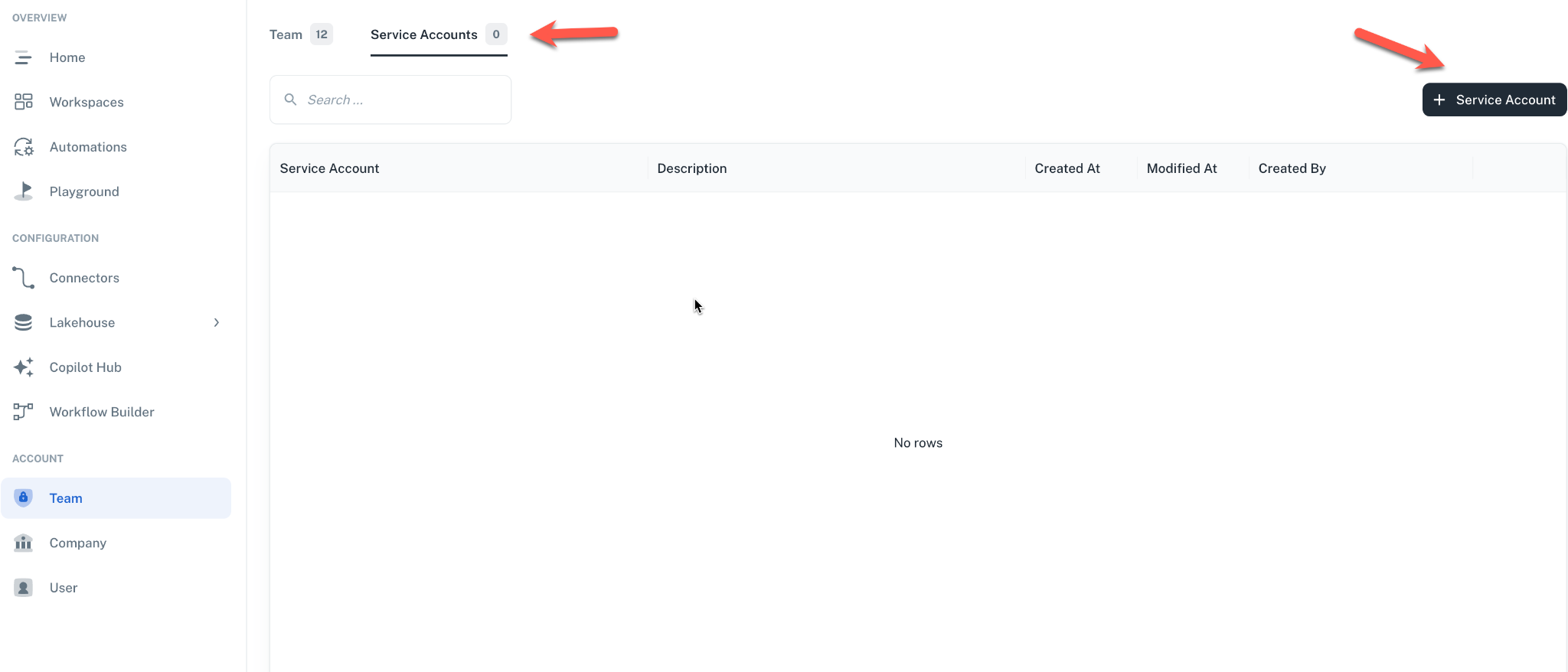
- Navigate to Team under the Account section
- Click on the Service Account tab
- Create a new service account
- Copy the generated token
Navigation to service accounts
Navigate to the Team section and click on the Service Accounts tab, then click the + Service Account button.
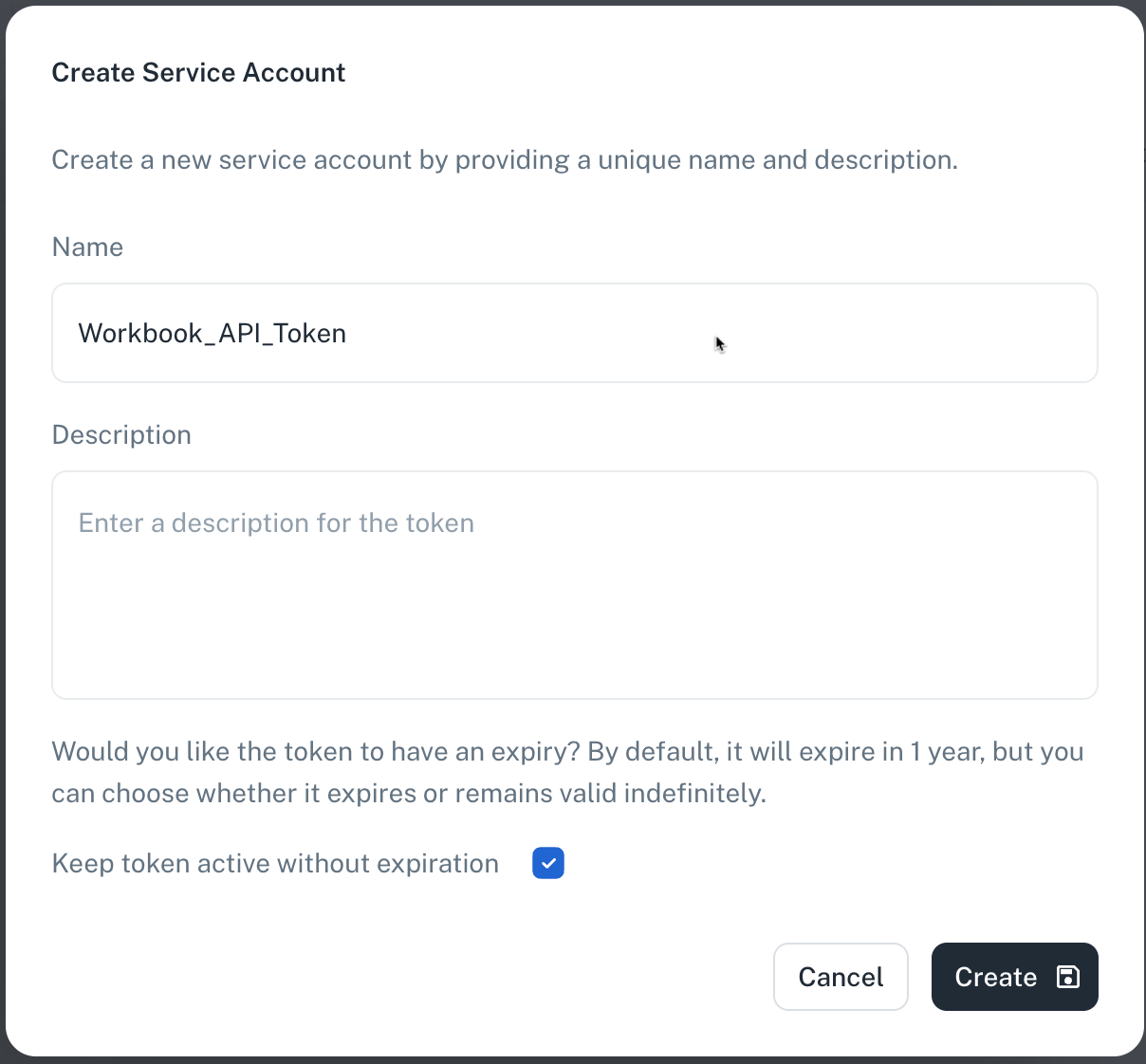
Creating the service account
Fill in the service account details in the creation form.
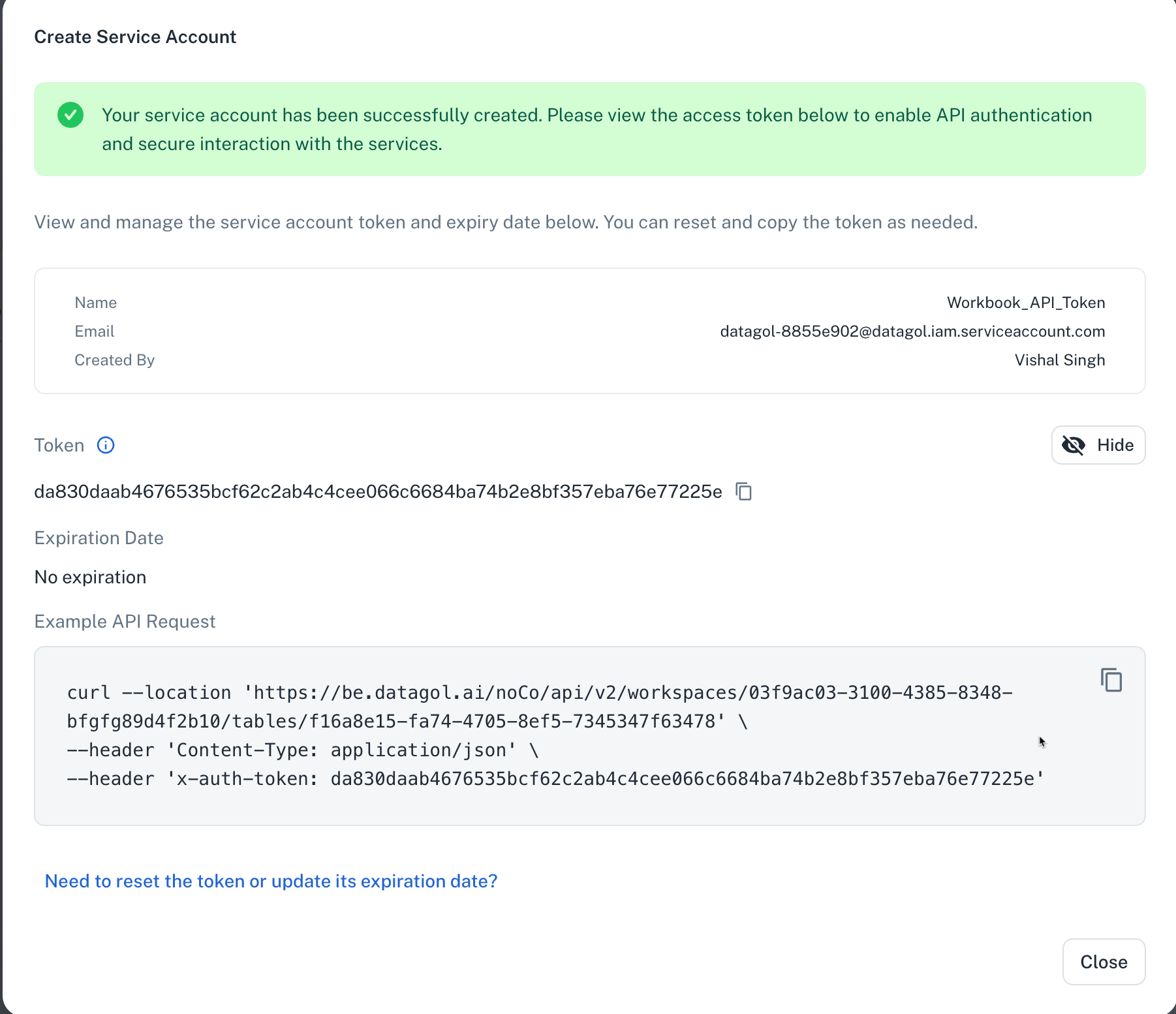
Copying the generated token
After successful creation, copy the generated token for use in API requests.
2. Get workbook data
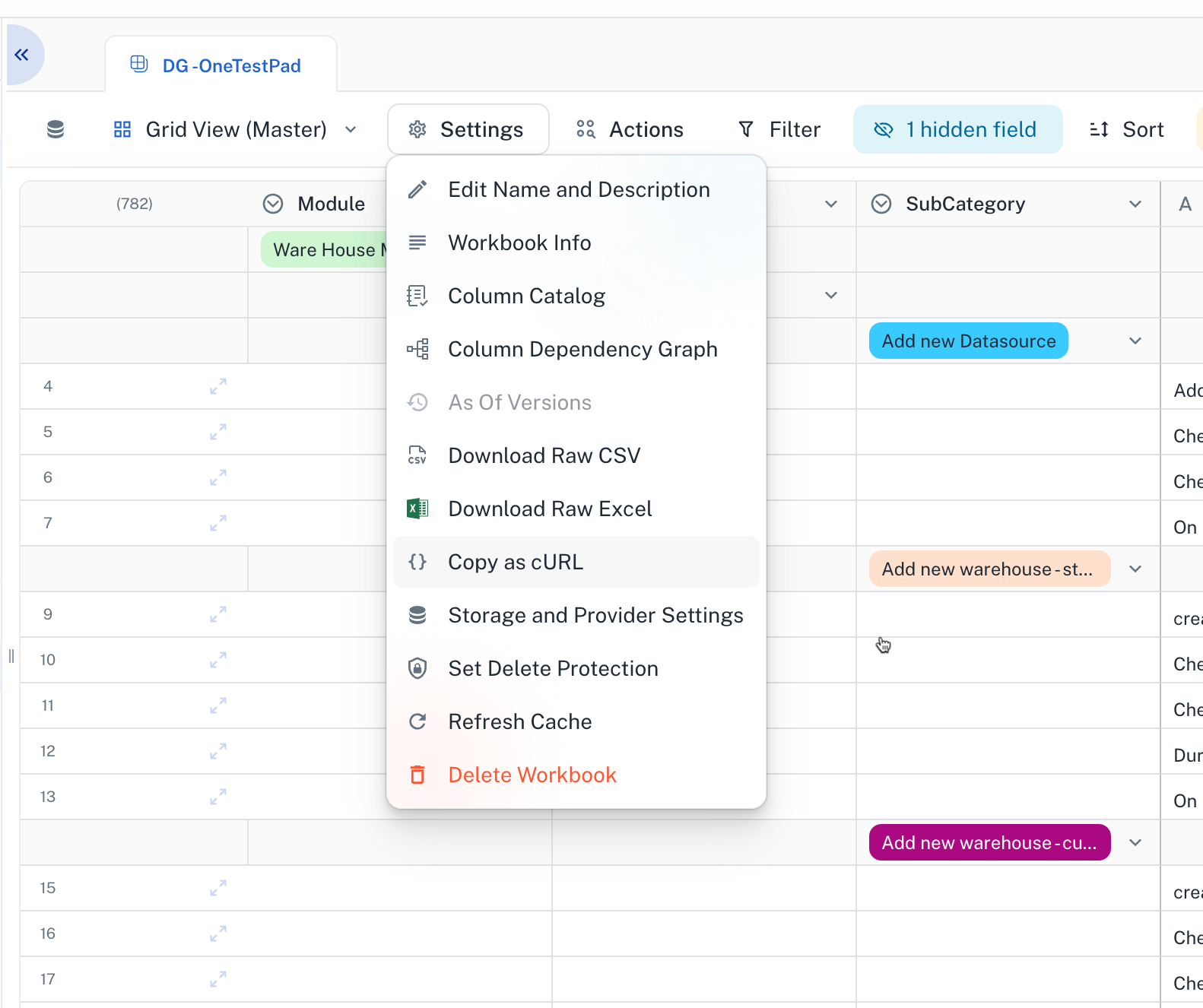
Obtaining the API request
- Navigate to the target workbook
- Go to Settings
- Select Copy as cURL
The copied
cURLcommand can be executed as-is with the bearer token.
Replace it with a service account token for long-lived authentication.
API request Example
curl --location 'https://be.datagol.ai/noCo/api/v2/workspaces/03d079b8-ddbf-4752-926a-8700c4be056c/tables/77b75932-a6f3-405a-aade-fc4bff973858/data/external' \
--header 'x-auth-token: {your-service-token}' \
--header 'Content-Type: application/json' \
--data '{
    "requestPageDetails": {
        "pageNumber": 1,
        "pageSize": 500
    }
}'
3. Insert data into a workbook
Data can be inserted into a workbook using the workspace ID and workbook ID, specifying column names and values in key-value pairs.
API Request Example
curl --location 'https://be.datagol.ai/noCo/api/v2/workspaces/03d079b8-ddbf-4752-926a-8700c4be056c/tables/77b75932-a6f3-405a-aade-fc4bff973858/rows' \
--header 'Accept: */*' \
--header 'x-auth-token: 5e25ba66c58dd6306fff6800303616ebd0363f1f57b3f6ccaac273b192d0fc4f' \
--data '{
    "position": 0,
    "cellValues": {
        "name": "John",
        "notes": "This is a post test",
        "status": "TRUE",
        "assignee": "DOE"
    }
}'
Request parameters
position: Specifies the position where the new row should be inserted (e.g.,0for the beginning)cellValues: Object containing column names as keys and their corresponding values
Was this helpful?